.png)
Improve your financial management thanks to Adfinity’s latest updates!
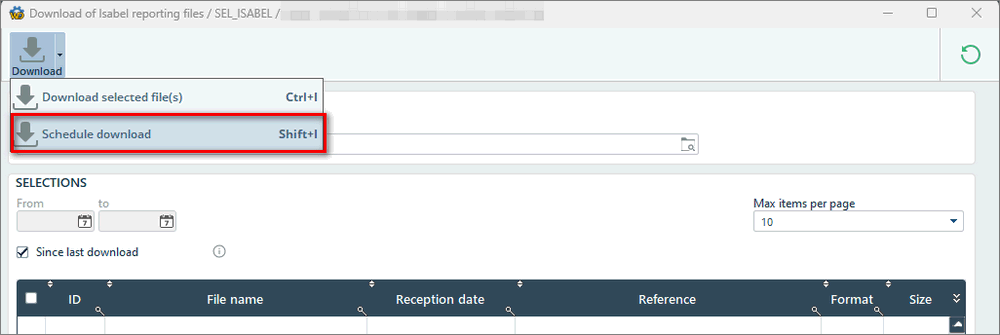
1. Automation of CODA downloads via Isabel Connect
It is now possible to automate the downloading of CODA files via Isabel Connect.
Combined with the already existing automatic CODA import, the files will be downloaded and imported automatically at the desired frequency.
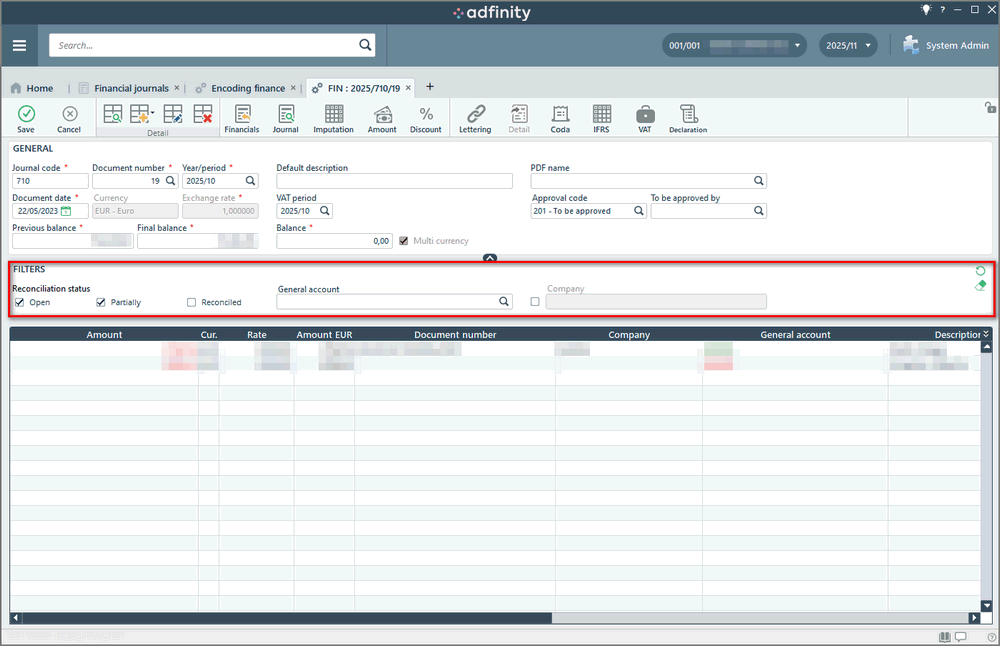
2. Financial entry filter
You can now filter by matching status, general ledger account, and company directly from the financial entry screen.
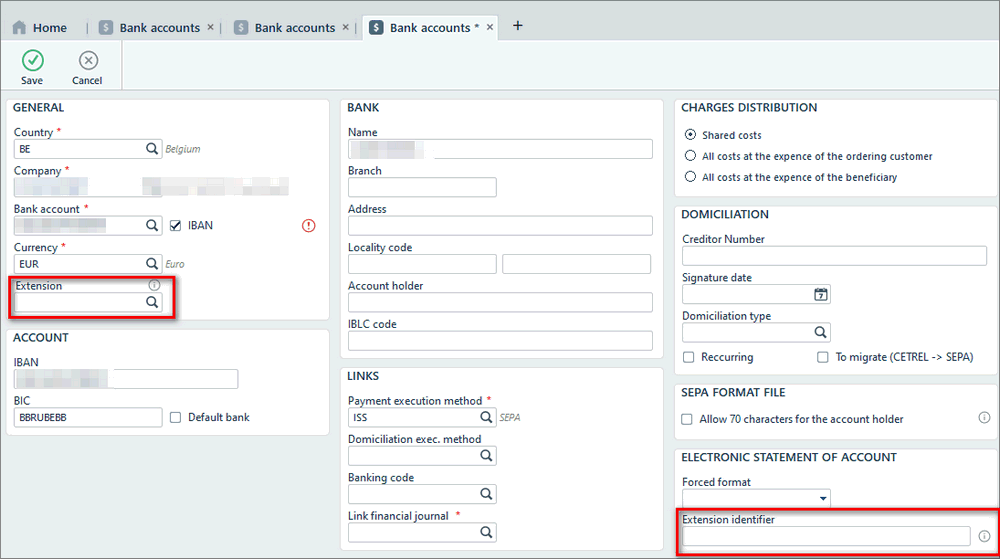
3. Management of bank accounts with extensions
Some banks now offer a system of sub-accounts with extensions. You can now manage these accounts in Adfinity and specify the extension directly in the bank account record.
4. New payment file formats
Adfinity supports the new payment file formats pain.001.001.09 and pain.008.001.008.
You can find more information in the following article: https://easi-adfinity.xurrent.com/self-service/requests/new/show_knowledge_article?from=search&knowledge_article_id=411284&requested_for_id=3533089&search_id=32526462&position=0
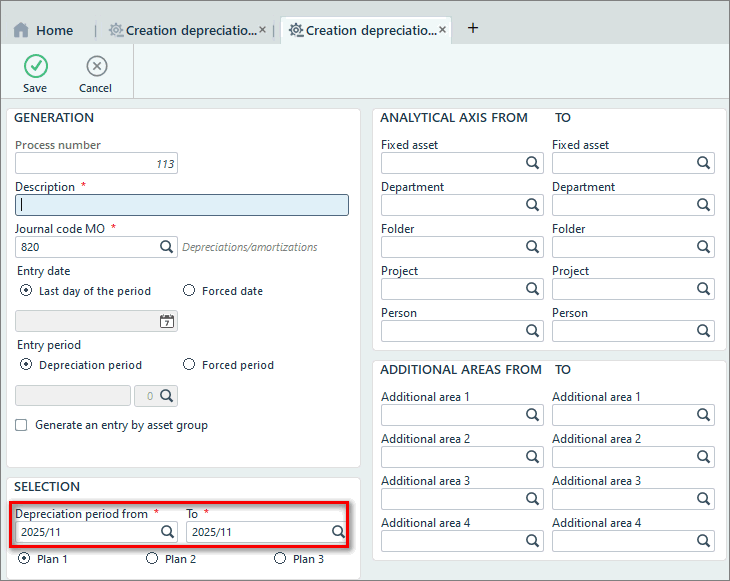
5. Generation of depreciation journal entries over multiple periods
It is now possible to generate depreciation journal entries across multiple periods at once.
The generation process has also been optimized to reduce processing time.
6. Calculation of depreciation schedules for fiscal years with more than 12 periods
Adfinity now supports the calculation of depreciation schedules for fiscal years that have more than 12 periods.
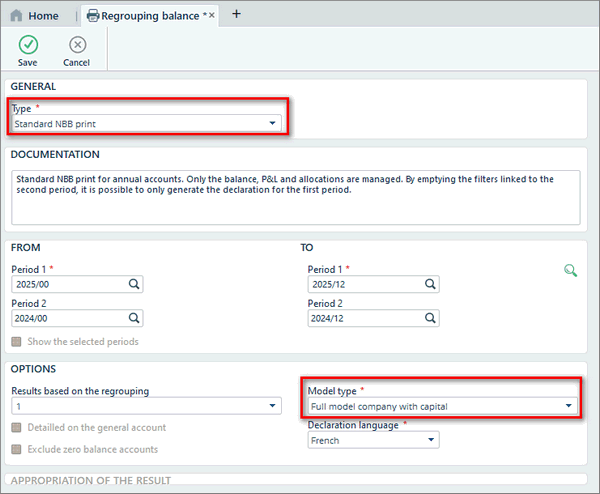
7. Printing of the standard NBB layout
You can now print your annual accounts in the standard layout required by the NBB. Printing is available through the PRTBALREG program.